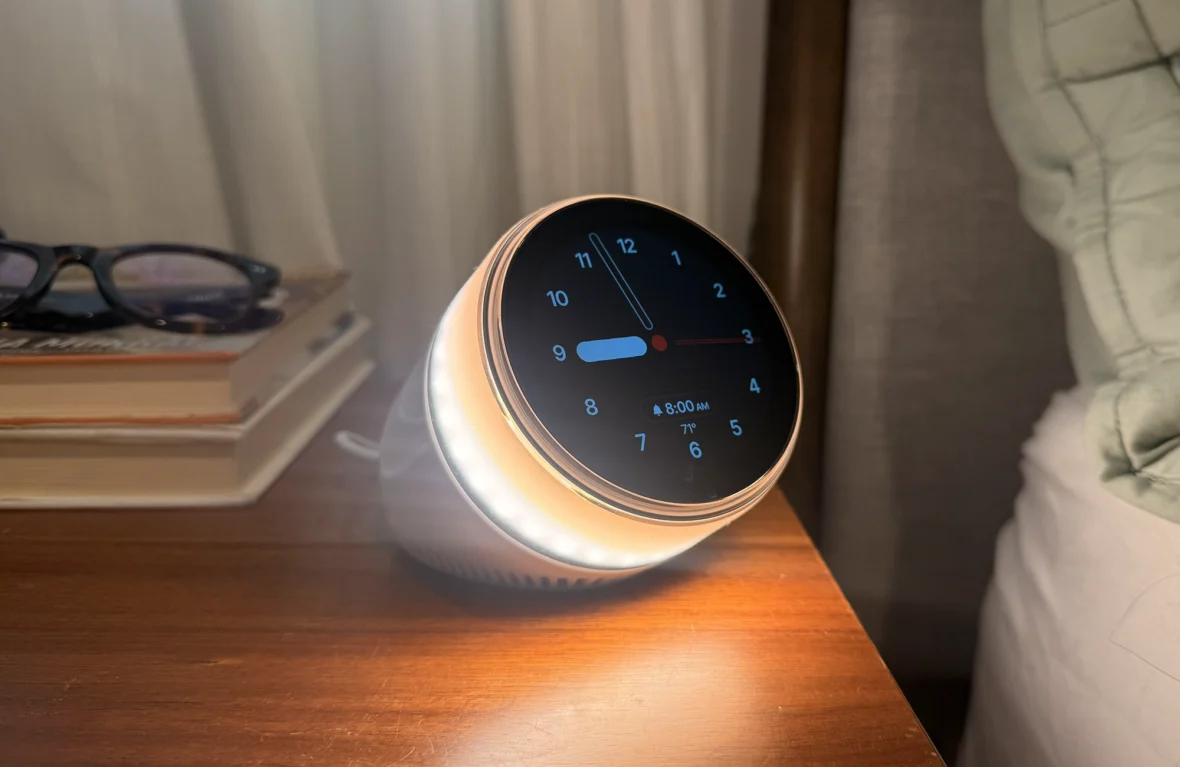
Ambient’s Dreamie caught our (tired) eyes at the massive tech show in Las Vegas earlier this year. Here’s our honest review of the bedside sleep companion
All products featured on Athletech News are independently selected by our editors. However, when you buy something through our retail links, we may earn an affiliate commission.
Good sleep is a healthy lifestyle pillar I’ve yet to unlock.
I’ve attended a 3-day sleep retreat in Arizona, tried almost every eye mask and smart earbud under the sun and taken no shortage of melatonin (and melatonin-free) supplements, to name just a few efforts. A recent Thorne biomarker test for sleep even revealed that I have lower-than-average melatonin production in the evening and at night, confirming in data points what my ZZZ-deprived mind and body had long been feeling.
That’s why it’s no wonder that one adorable smart alarm clock – though it probably prefers to be called a “smart sleep companion” – caught my eye at CES 2026, where I saw hundreds (if not thousands) of tech products. I’m among the estimated 70 million Americans who suffer from a chronic sleep disorder, so I’m especially open to anything that’ll lead to an extra hour or two of sleep – and the energy to take on the day.
Enter Ambient’s Dreamie alarm clock ($249.99), which I first discovered at Pepcom, one of the more popular CES-adjacent events in Las Vegas. It usually takes place in the evening, which explains why my exhausted eyes (and feet) made a beeline for the sleep gadget like a delirious moth to a flame. Its origin story intrigued me: it was developed by a dad who was trying to solve his young son’s snoozing issues without the distraction of yet another tech gadget.
Related: The Best Products to Celebrate National Sleep Month
I loved that the sleek bedside assistant doesn’t require a smartphone app or a subscription. It’s more than an alarm clock: in addition to playing calming wind-down sounds and other audio content, the device will soon offer sleep insights without a wearable – something I’m particularly excited about.
According to Ambient, Sleep Insights “uses contactless sensors to monitor your movements and environmental factors like temperature and noise, providing an overview of your sleep habits without any devices on your body.” The company notes that data is not stored on the cloud and audio won’t be recorded, and that the feature can be disabled.
At the aforementioned desert slumber getaway at Castle Hot Springs, Harvard professor, researcher and sleep expert Dr. Rebecca Robbins told me that getting the recommended 7 to 8 or more hours of shut-eye won’t suffice. Your sleep architecture – the cycle of non-rapid eye movement (NREM) and rapid eye movement (REM) that takes you through light and deep sleep and dreaming – needs to go through at least 4 cycles for proper mind and body restoration.
Since quality slumber has proven just as important as diet and exercise, I wanted to see if the Dreamie could finally get this night owl on a proper sleep track. I tested the Dreamie clock for about a month – read my honest review below.
Dreamie Alarm Clock Review: The Bottom Line
If you’re a routine-driven person who wants an app-free gadget to guide you through bedtime, Ambient’s Dreamie is well worth the one-time $250 price tag for its library of free high-quality sleep content, regular software updates and customizable features.
Dreamie Alarm Clock
$249.99
Dreamie Alarm Clock Review: What’s in the Box & Setup
Unboxing and setting up the Dreamie alarm clock was quick and seamless. The device comes with a 4.9-foot braided USB-C cable, a 20-watt power supply, a fabric pouch (which comes in handy for wiping fingerprints off the screen) and a quick start guide.
Getting this clock up and running is easier than starting up a new phone: connect the cable to the device and the power supply, plug it into an outlet and follow the on-screen setup instructions. You’ll be asked to connect to your Wi-Fi network, and the device might need to download and install new updates. Once that’s done, you can start configuring your daily alarms, routines, the display and other settings directly from Dreamie’s screen.
The settings are accessible by swiping up from the screen, and it really feels like Dreamie’s design team thought of every step in the sleep process. Display options include analog or digital clock faces, automatic brightness, Redshift (which adjusts the screen colors to limit blue light exposure), Dark mode (a simplified nighttime dark theme and the option to turn off the display at night) and temperature. You can also pair other devices via Bluetooth, such as earbuds or your smart TV.
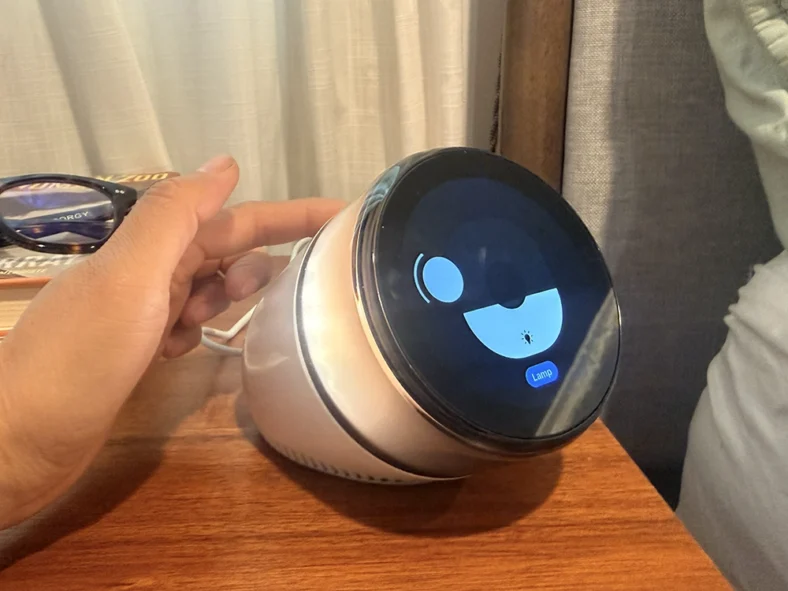
The light and volume control feel intuitive, too. Swipe the touch strip on top to adjust the lamp’s brightness and turn the control ring around the clock for the volume. You can even set the direction of the lamp by moving a button on the screen where you want the night light to shine.
Dreamie Alarm Clock Review: Setting Up Sleep Schedules & Routines
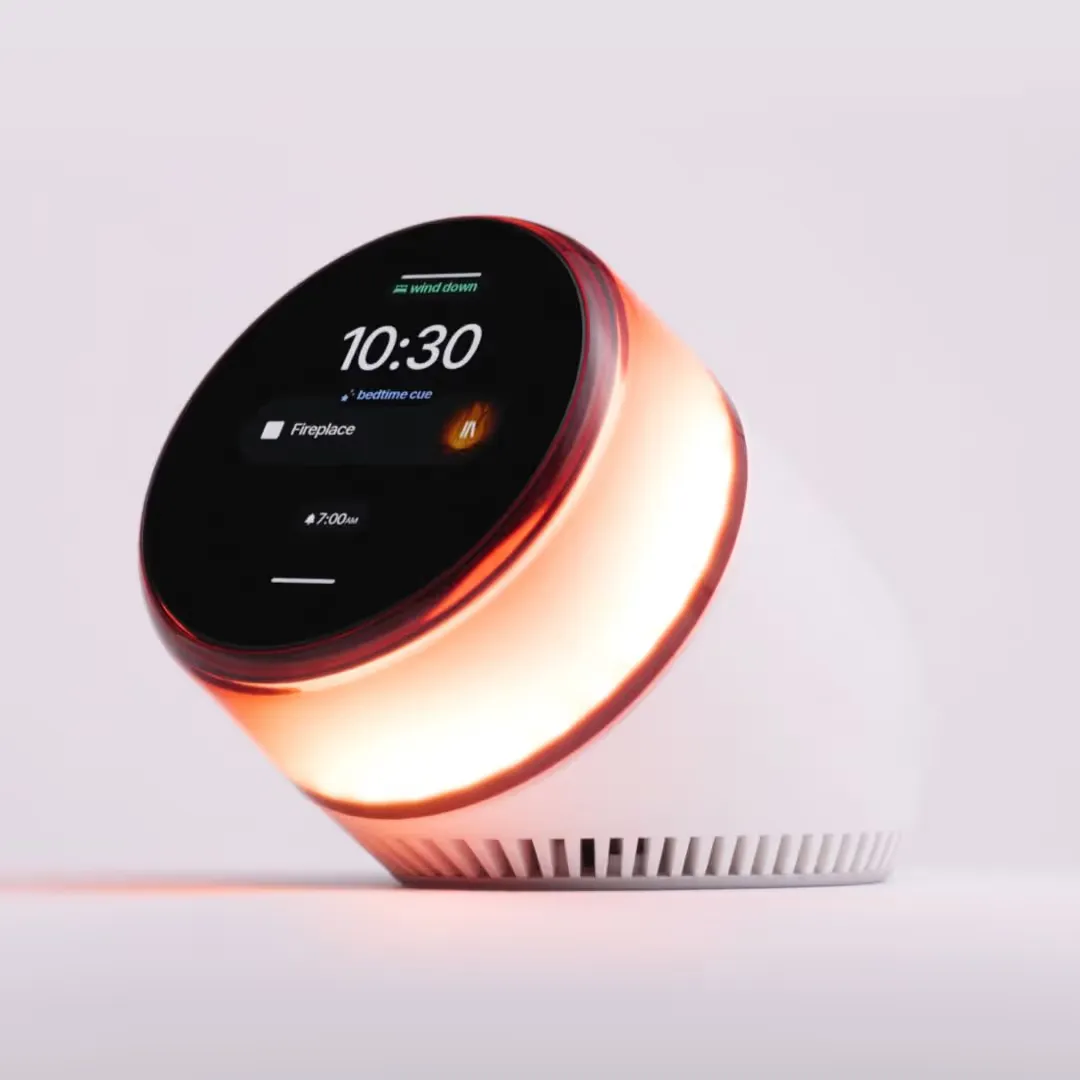
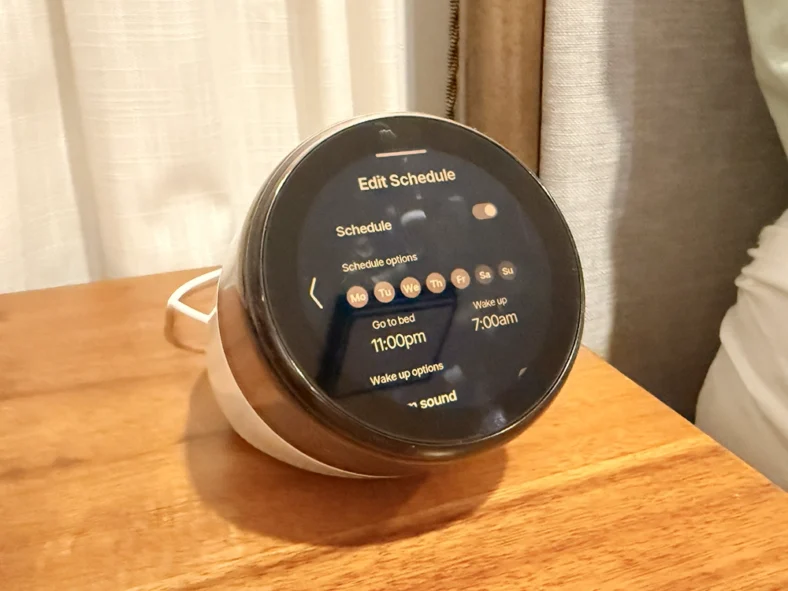
The Dreamie sleep companion allows you to create custom wake-up and bedtime schedules for specific days and times, with options for alarm sounds, sunrise light and snooze. Sleep Routine scenes (Bedtime Cue, Wind Down, Noise Mask and Back to Sleep) guide you through bedtime, and each can be customized with your preferred audio content and duration (from 1 to 59 minutes).
Unlike its competitors, all of Dreamie’s audio content is free and includes sounds inspired by nature and places (like rain and thunder, evening forest, the Golden Gate Bridge, Aurora Borealis, fireplace, wind and more), continuous noise (such as brown, pink and green) and guided breathwork. Soon, it’ll offer podcasts.
Dreamie Alarm Clock Review: What We Loved
First and foremost, waking up to the gradual sound of calming bells or songbirds is 1000 percent better than, say, Apple’s heart palpitation-triggering Radial alarm. (And for the Android users, I think we can all agree that Glockenspiel and Morning Flower are great Pavlovian ways to set off a fight-or-flight response.) For the most part, my mornings started cool and collected when I used Dreamie’s alarm sounds.
Speaking of Pavlov, the Sleep Routines were effective at setting the scene for slumber. On the nights I actually got under the covers by 11 p.m., the pleasant tones of Aurora Borealis helped prep my mind for bedtime, and when the Wind Down scene (set to Pink Noise) kicked in, I knew it was time to put books and screens away (or occasionally pop a melatonin).
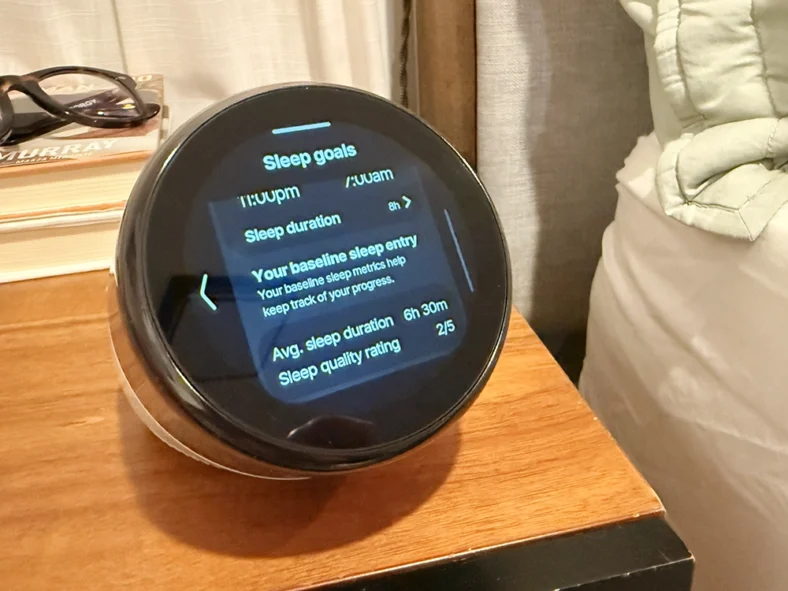
Dreamie’s Sleep Goals section is fairly basic right now. I regularly wear a smartwatch and a smart ring for tracking all sorts of biometrics, but I liked the simplicity of Dreamie’s sleep duration and quality data.
As I previously learned at the Arizona sleep retreat, having too much information can actually lead to orthosomnia, or an obsession with getting perfect sleep that winds up preventing you from, well, hitting the haystack. In a word, for some people (like apparently me), less is more. No overwhelming numbers or charts (yet); just enough basics to tell me the good and the bad, no ugly.
I also loved the Redshift and Dark mode features, which helped make shutting down easier every night. (Now if Dreamie could turn my phone into a brick at a certain time…)
Another feature I came to appreciate was the Bluetooth pairing. I’m also testing out the NextSense Smartbuds (stay tuned for more), and I liked having the option to use the earbuds’ EEG monitoring while listening to Dreamie’s audio content. Plus, my partner was able to sleep in silence while I listened to the sounds of the Golden Gate Bridge, crickets chirping or a river running.
The Dreamie comes with a generous 30-night sleep trial – more than enough time to see if the alarm clock works for your routine. If you decide it’s not a good fit, the company will give you a full refund and they’ll cover return shipping, too. (I am still using my clock more than 75 nights later.)
Dreamie vs. Hatch Restore 3: Alarm Clock Comparison
I’ve also tested the Hatch Restore 3 ($169.99), which has a similar alarm clock feature that mimics natural daylight. Instead of a screen, Hatch’s device has a simpler, screen-free design with a linen-like cover that gives it a minimalist-chic look.
The Restore 3 includes a 30-day free trial of the Hatch+ subscription that includes the company’s premium content (such as custom light and audio programs) and sleep sounds; afterwards, it costs $4.99 per month or $49.99 for the annual plan.
At $250, the Dreamie is $80 more than the Hatch Restore 3. However, factor in the annual Hatch+ subscription (especially if your sleep schedule becomes attached to its premium content) for at least two years, and the Dreamie feels worth the investment for anyone who wants a more hands-on approach to their nighttime routine.
Dreamie Alarm Clock Review: The Final Verdict
After using this smart sleep companion for about a month, it’s clear that the Dreamie team carefully considered how its device would be used – and potentially disrupt – sleep schedules. The device is packed with features that can help establish a healthier routine (like the blue light-reducing Redshift and Dark mode).
Though I have much more to untangle when it comes to getting to the bottom of my bad shut-eye (participating in a clinical study is next on my list), Ambient’s Dreamie sleep companion helped me adjust my nightly routine by making it more immersive and interactive. In some ways, it made it simpler: the audio cues signaled when it was time to put away the phone or turn off the lights – something I might not have done of my own volition.
The Dreamie clock is also something I’d feel comfortable giving to my elementary-aged kids. There’s no voice assistant there to take commands (or track personal data), no integrations with other apps and no calling or texting. Beyond the ability to scroll through dozens of different sounds, it doesn’t offer many other distractions.
If you’ve gotten this far in the review, you’re likely someone (like me) who has struggled with sleep enough to consider every tech doodad. While it won’t fix all sleep problems, the Dreamie can be an effective tool in creating better, long-lasting habits – all without an addictive screen or another tracker.
The Dreamie sleep companion is available for $249.99 at Helloambient.com.
Ambient Dreamie Specifications:
- Price: $249.99
- Dimensions: 5.5″ L x 3.8″ W x 4.5″ H
- Weight: 2.3 lbs
- Light: Dimmable 2700K warm white light and RGB lighting
- Audio: 50mm speaker
- Sensors: temperature, humidity, light levels, contactless motion, microphone (disabled; will be used for future features)
- Connectivity: 2.5 GHz Wi-Fi, Bluetooth
- Included accessories: 4.9 ft. USB-C cable, 20-watt USB-C power supply, protective fabric pouch, quick start guide
- Warranty: One year
- Trial period: 30 nights